
Architecture
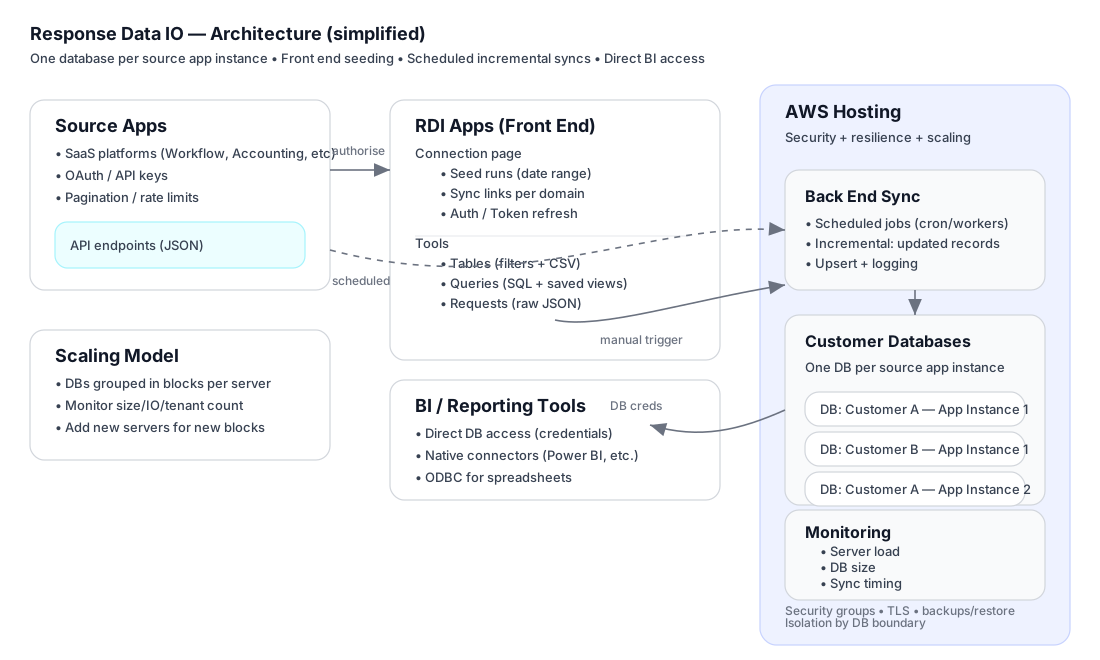
Response Data IO is a multi-tenant integration platform that syncs data from source apps into dedicated customer databases for analytics and reporting.
The key design choice is simple:
One database per customer per source app instance.
No shared schemas, no row-level tenant filters.
Quick Diagram
Core Concepts
1) Connection (an “Instance”)
A Connection represents a single configured integration to a source system (e.g. one :contentReference[oaicite:0]{index=0} organisation).
Each Connection has:
- Source app identifiers (org / tenant / region)
- OAuth tokens / refresh tokens (where applicable)
- A target database (dedicated to that Connection)
- A schedule (daily / hourly / etc.)
- Diagnostics (last run, next run, record counts)
2) Dedicated Database per Connection
For each Connection, Response Data IO provisions (or assigns) a dedicated MySQL/MariaDB database.
Benefits:
- Strong tenant isolation (no shared tables)
- Simple security model (db creds are the boundary)
- Straightforward backup/restore per customer
- Easy off-boarding (drop the database)
Data Flow
A) Front End “Seeding” (manual runs)
The Connection page allows an operator (or customer, depending on permissions) to trigger initial seeding or targeted refreshes for key domains (Jobs, Clients, Invoices, Timesheets, etc.).
Typical use:
- First-time onboarding (seed historical range)
- Re-seeding after schema changes
- One-off catch-up runs
B) Scheduled Back End Sync (incremental updates)
After seeding, the back end runs scheduled syncs that:
- Pull new/updated records since the last successful run
- Upsert into the dedicated database
- Record timing, counts, and errors for monitoring
Sync design goals:
- Idempotent (safe to rerun)
- Pagination + rate-limit safe
- Resumable / recoverable
Platform Components
1) Connection UI (Operations Console)
The Connection UI is the “control plane” for a single Connection:
- Date range controls for seeding
- Individual sync links per domain
- Sync All for bulk refresh
- Authorisation / Token Refresh
- Record counts and schedule visibility
2) Tables (Data Browser)
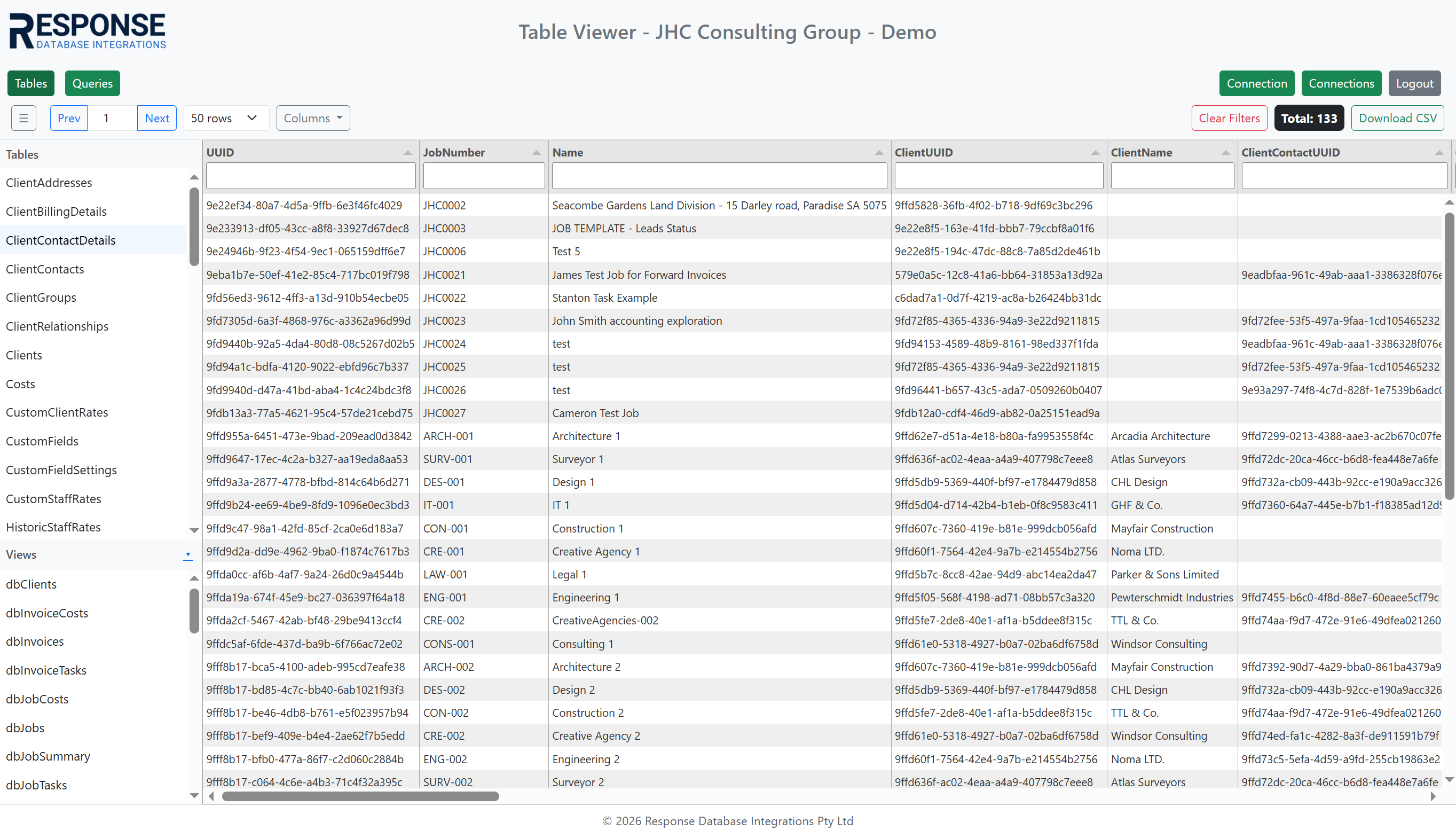
A fast table viewer for the connected database:
- Browse tables + views
- Filter/sort columns
- Pagination
- Export to CSV
3) Queries (SQL + Saved Views)
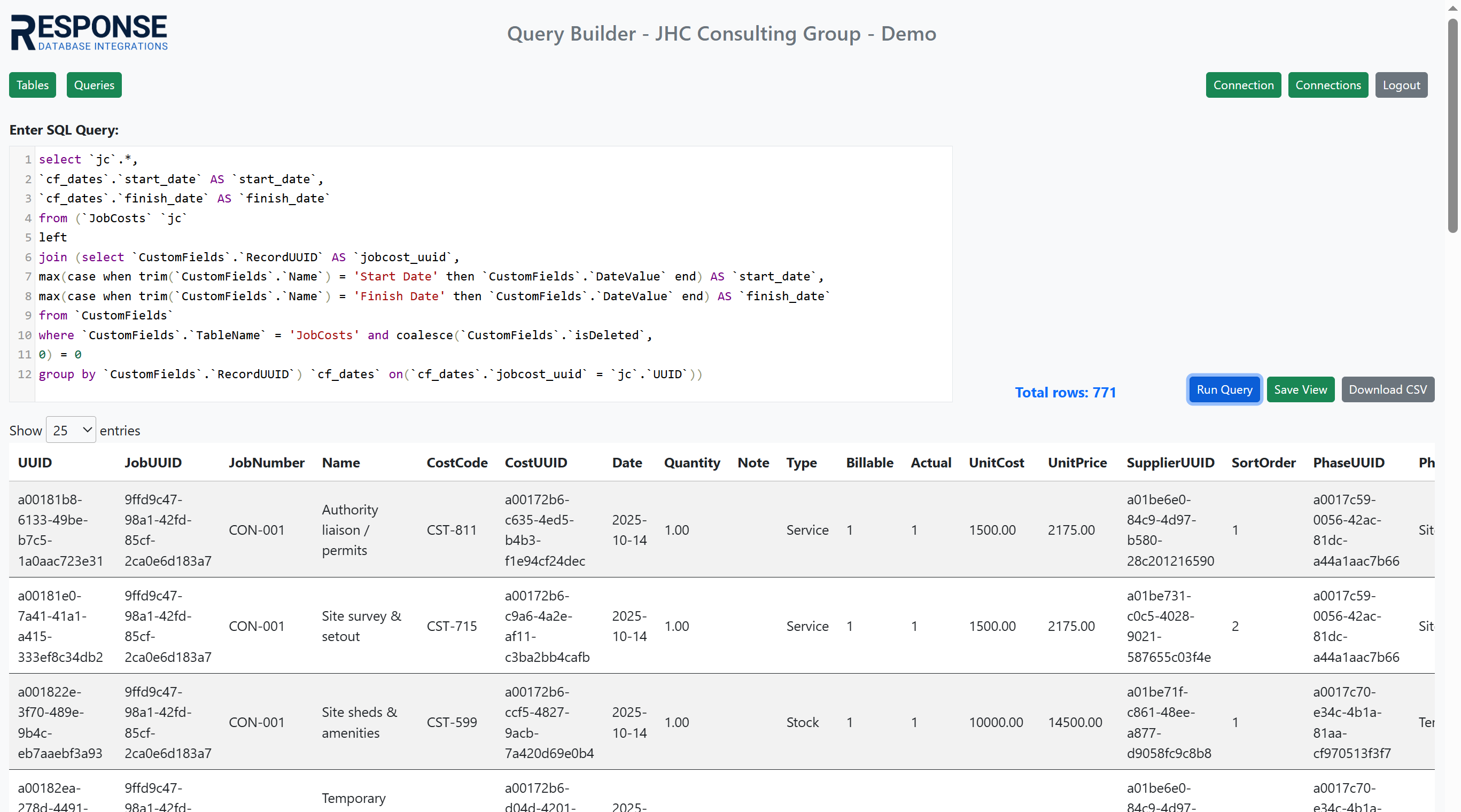
A query builder for analysts and power users:
- Run ad-hoc SQL
- Save as views (create/update)
- Delete views
- Download CSV output
4) Requests (Raw API JSON)
A diagnostic tool to return the raw JSON payloads for a Connection:
- Useful for verifying API response structure
- Debugging mapping and field changes
- Comparing “what the API said” vs “what we stored”
Access Patterns (BI / Reporting)
Because each Connection has a dedicated database, access is clean and direct.
Common options:
- BI tools using native MySQL connectors (e.g. Power BI, Looker Studio)
- ODBC connections for spreadsheets (Excel) and generic reporting tools
- Custom apps and dashboards querying views
Security boundary:
- Database credentials grant access to that tenant database only.
Hosting, Security, Resilience
Response Data IO runs on :contentReference[oaicite:1]{index=1} infrastructure with standard cloud security controls:
- TLS everywhere (HTTPS)
- Firewall / security groups limiting access
- Principle-of-least-privilege database accounts
- Backups and restore processes per database group
Resilience principles:
- Dedicated databases allow scoped restore
- Failures isolate to a single Connection (not all tenants)
- Logs + monitoring support rapid fault isolation
Performance & Monitoring
Performance is managed by:
- Monitoring sync duration, error rates, and API latency
- Tracking per-database size growth and indexing strategy
- Monitoring server resource usage (CPU/RAM/disk/IO)
Operational approach:
- Databases are grouped into blocks hosted on a server.
- When a server reaches thresholds (storage/IO/tenant count), new Connections are provisioned onto new servers to scale horizontally.
Screenshots
Connection page
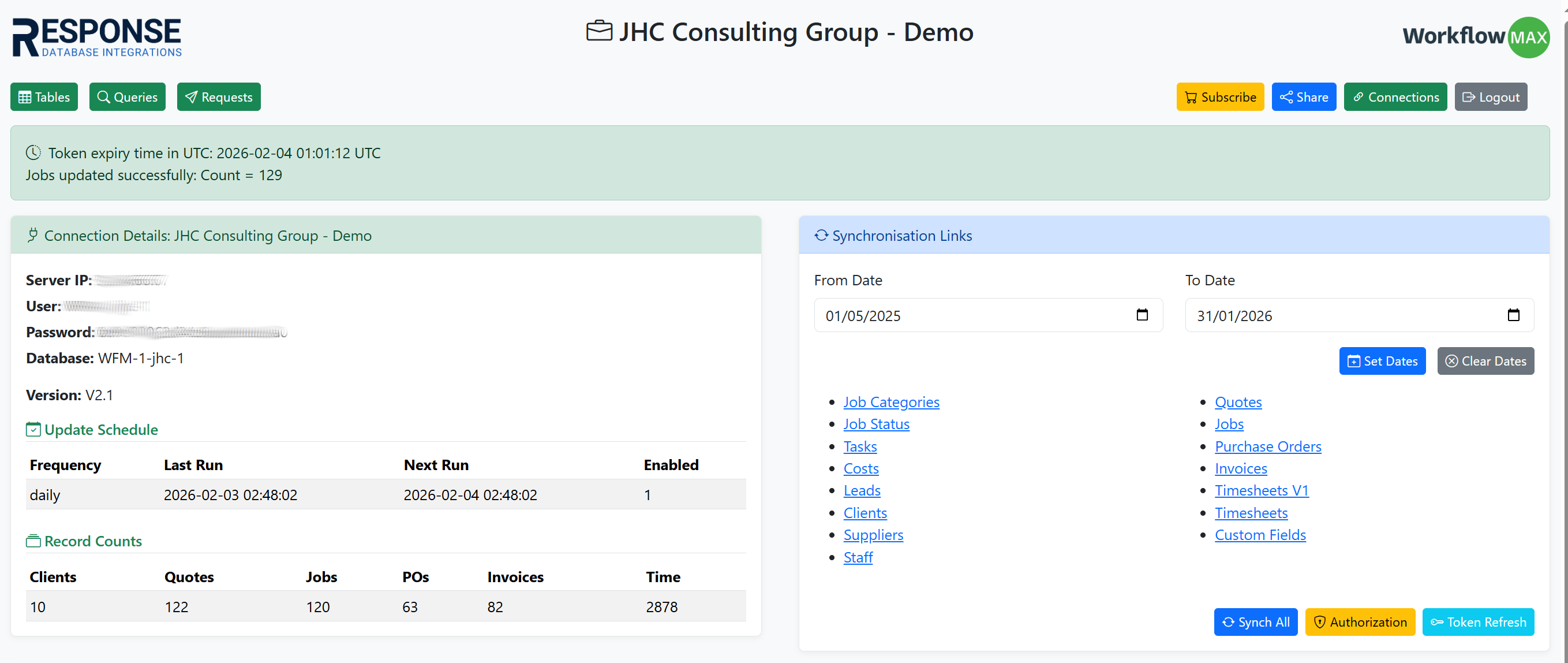
Table viewer
Query builder
Summary
Response Data IO is designed for:
- Strong tenant isolation via one database per Connection
- Reliable sync via scheduled incremental updates
- Flexible analytics via direct database access
- Operational control via Connection + Tables + Queries + Requests tools
- Horizontal scaling by adding servers for database blocks